Phone setup
One phone or two phones: what works better for drivers?
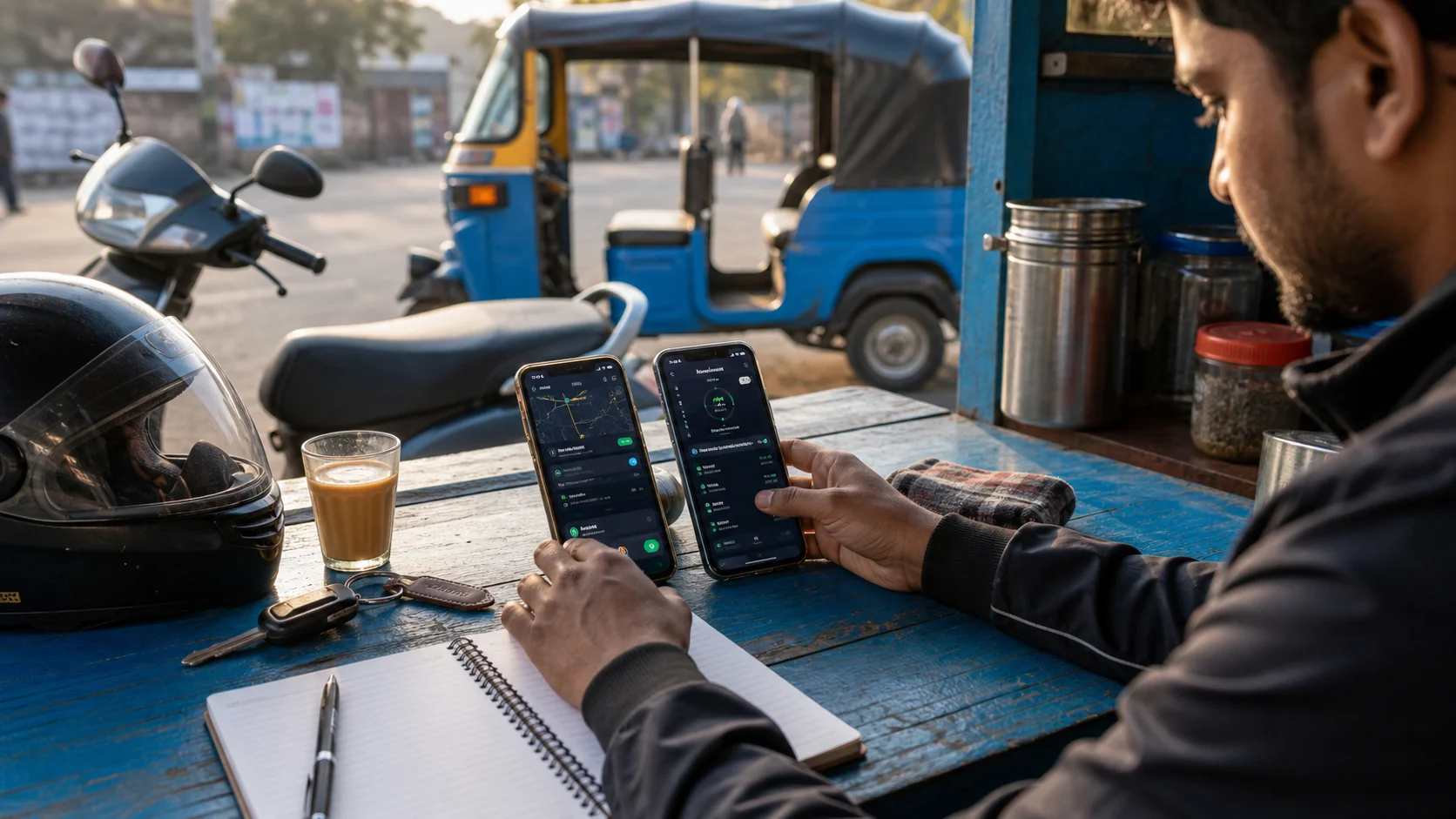
Many drivers start with one phone because it is simple. Later, after more apps, calls, maps, payments, and battery pressure, the same phone starts feeling crowded. A second phone can help some drivers, but it is not automatically better.
When one phone is enough
One phone works well if the device has good battery life, enough RAM, stable network, and a clean home screen. It is also easier to carry, easier to charge, and less expensive. For part-time drivers or short working blocks, one well-maintained Android phone can be the most practical choice.
When two phones make sense
A second phone helps when personal calls interrupt work, maps drain too much battery, or the main device becomes slow with too many apps open. Some drivers keep one phone for work apps and one for calls, music, and payments. The benefit is separation. The cost is more charging, more mounting, and more attention to manage.
Keep the work phone clean
If you use AcceptRide on a work phone, keep that device focused. Remove apps you do not need during a shift. Turn off noisy notifications from shopping, social media, and entertainment apps. The cleaner the phone, the easier it is to trust what you see during work.
Watch heat and battery
Mounted phones can heat up in Indian weather, especially with maps and mobile data running. Heat slows the phone and drains battery faster. If two phones are used, do not leave both under direct sun on the dashboard. Rotate charging and keep cables tidy.
The best setup is boring
A good driver phone setup should feel predictable. You know where the charger is, which phone has data, which phone handles work apps, and where alerts appear. AcceptRide fits best into that kind of routine: clear, repeatable, and easy to check before going online.
Look at your actual work pattern
The right answer depends on how you work, not on what another driver says. A driver who works three hours in the evening may not need a second device. A driver who spends ten hours between cab work, delivery work, calls, maps, and payments may feel the pressure much faster. Before buying another phone, write down what actually happens during one normal shift. Does the phone heat up? Do calls cover the screen? Does the battery drop below twenty percent before the main rush ends? Does the phone slow down when several work apps are open?
If the answer is no, stay with one phone and keep it clean. If the answer is yes on most days, a second phone may be a practical tool rather than a luxury. The purpose is not to look professional. The purpose is to reduce interruption, heat, battery stress, and confusion.
One-phone setup: make it disciplined
When using one phone, discipline matters. Keep only the apps you need during work on the first home screen. Put entertainment, shopping, and social apps away from the work area. Turn off unnecessary notifications. Clean storage once in a while, because a full phone can become slow at exactly the wrong time. Restart the phone before a long shift if it has been running for many days.
Use one reliable mount and one reliable charging cable. Many phone problems are not app problems at all. They come from loose cables, weak chargers, bad mounts, and too many apps fighting in the background. If AcceptRide is part of your workflow, check the service state before starting and avoid changing too many phone settings during the shift.
Two-phone setup: keep roles clear
If you use two phones, decide the role of each phone clearly. One phone can be the work phone, with AcceptRide, maps, work apps, and important permissions. The second phone can handle personal calls, music, family messages, and backup internet. Do not keep switching roles every day. If both phones do everything, the setup becomes more confusing than one phone.
Mounting is also important. A cab driver may place one phone near the dashboard and keep the second one lower. A scooter or bike rider should avoid crowding the handlebar. Too many screens near the eyes create distraction. The second phone should reduce pressure, not double it. If it makes you look at two screens during traffic, the setup is wrong.
Data, SIM, and hotspot choices
Some drivers keep data on both phones. Others use one main SIM and share hotspot. Both choices have tradeoffs. Two active data plans cost more but provide backup. A hotspot saves money but drains the main phone battery and can disconnect when the phone heats up. In crowded areas, one network may work better than another. Test this in your actual working area instead of assuming.
For Rajasthan or any Indian city with mixed coverage, network strength can change from one market to another. A phone that works well near a bus stand may become weak inside a residential pocket. Keep the stronger connection on the phone that handles the most important work tasks.
Battery and heat planning
Two phones can reduce load, but they can also create a charging problem. If both phones need power at the same time, the vehicle charger may not be enough. Keep a good cable for each phone. Avoid cheap splitters that charge slowly or become loose on rough roads. If one phone is older, use it for lighter tasks instead of forcing it to run maps and work apps all day.
Heat is another serious issue. Phones mounted in sunlight can slow down, dim the screen, or stop charging. A two-phone setup gives you the option to move one device away from direct heat. Use that advantage. Do not place both phones where they cook under the windshield.
Security and privacy
A work phone may contain customer calls, location history, payment messages, and app access. Use a screen lock. Do not share the phone casually at shops or waiting points. If you keep personal photos, banking apps, and work apps on one phone, be extra careful when handing the device to anyone for charging or repair.
With two phones, keep important accounts protected on both devices. A cheap backup phone is still a risk if it contains SIM access, messages, or saved passwords. Professional setup means the phone is not only convenient; it is also controlled.
How AcceptRide fits into either choice
AcceptRide works best when the driver has a stable Android setup. On one phone, it becomes part of the main work screen. On two phones, it should stay on the device where your work apps and permissions are managed. Do not keep AcceptRide on a phone that you rarely check or that loses battery early. The app should live where the driver can quickly confirm service state before the shift.
The decision is practical: if one phone stays smooth, keep one. If one phone becomes crowded every day, separate the workload. The best setup is the one that helps you work calmly and repeat the same routine tomorrow without confusion.