Monsoon routine
How to prepare your phone before a rainy shift
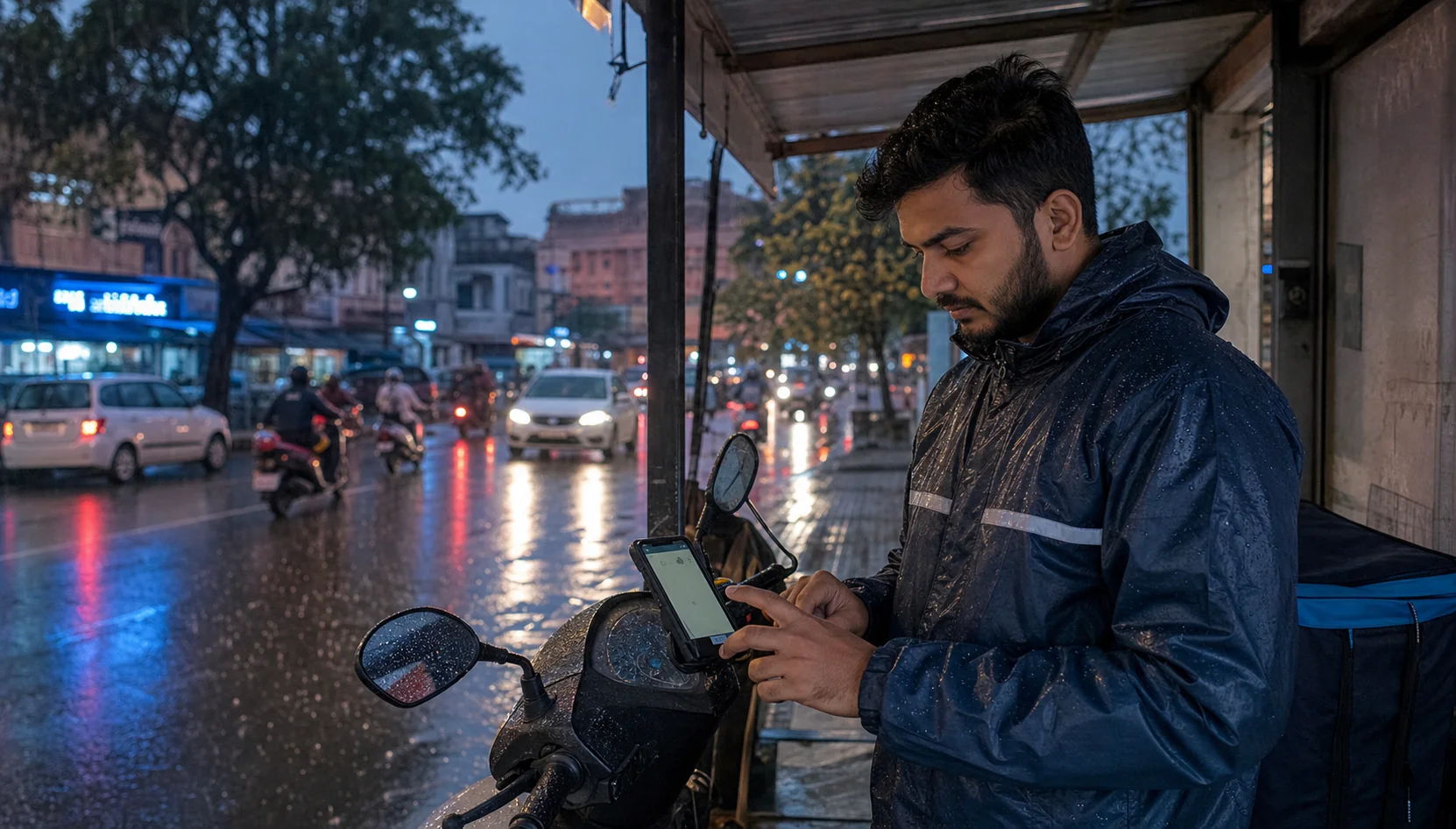
Rain makes app-based work feel slower even before traffic becomes heavy. Touchscreens miss taps, pockets get wet, mounts shake, and drivers often open the phone more than they planned. A rainy shift works better when the phone is ready before the first request arrives.
Start before the road gets wet
Do the setup while parked. Open AcceptRide, check the service state, confirm the selected work apps, and make sure the important Android permissions are still active. Rain is not the right time to discover that notification access or battery background settings changed after an update.
Keep the screen readable
Set brightness high enough for cloudy outdoor light, but avoid draining the battery too early. If your phone has a wet-touch mode or glove mode, test it before leaving. A cheap plastic cover can protect the phone, but it can also make taps less reliable, so try it once while stationary.
Use shorter working blocks
During rain, pickup time and parking time often increase. Instead of staying online with the same expectations, work in shorter blocks. After each block, check history and see whether the route type still makes sense. If waterlogging starts near a market or underpass, change the area before it wastes the next hour.
Protect battery and charging
Wet charging ports are a common problem. Charge before the shift, carry a dry cable, and avoid plugging in while the phone is damp. Battery saver can also disturb background work, so check how your phone behaves with AcceptRide before depending on it in bad weather.
Make alerts simple
Rain adds noise. Horns, wipers, and road splash can hide small sounds. Keep alert volume clear, but do not create a setup that distracts you. The goal is to know the phone is ready, not to stare at it through every traffic stop.
End with a quick review
After the rainy block, look at what actually worked. Which area was slow? Which pickup pattern wasted time? Which setting had to be changed? AcceptRide is useful here because a driver can turn the shift into a practical review instead of a guess.
Choose routes with fewer surprises
Rain makes familiar roads behave differently. A lane that is easy on a dry afternoon can become slow when water collects near a crossing or when two-wheelers avoid a broken patch. Before the shift, think about the places that usually create trouble: low underpasses, narrow market lanes, rough service roads, and pickup points with no shelter. You do not need a complicated map for this. Even a short mental list helps you avoid the kind of request that looks good on the phone but wastes twenty minutes on the road.
For cab and auto drivers, pickup access matters a lot during rain. A customer standing inside a mall gate or colony gate may not want to walk to the main road. For bike taxi and delivery workers, the issue is different: parking the vehicle safely without soaking the phone, bag, or documents. Use AcceptRide as part of the pre-shift check, but also use your local knowledge. The app can keep the workflow visible; the driver still understands the street better than any screen.
Keep the mount steady and simple
A loose phone mount becomes a bigger problem in rain because the driver is already dealing with wet roads, reduced grip, and more sudden braking. Before starting, shake the mount gently and check whether the phone moves. If the phone slips even a little, fix it before going online. A screen that tilts during a request can force the driver to look twice, and that is exactly what you want to avoid in poor weather.
Avoid overloading the handlebar or dashboard with extra items. Power banks, loose wires, plastic covers, and earphone cables can all become annoying when wet. Keep the work setup boring: phone mounted, cable secure, screen visible, and no loose clutter around the controls. Professional drivers often look calm because their setup does not fight them during pressure.
Think about network drops
Rainy weather can create network problems in crowded areas, especially near busy markets, stations, and roads where many people are waiting under the same shelter. If the phone data becomes unstable, do not keep tapping randomly. Move to a safer spot, wait a moment, and check whether other apps are loading. Sometimes the app is not the problem; the network is simply weak in that pocket.
Keep enough balance or data validity before the shift. A driver should not be solving recharge problems in the middle of rain. If you use a second SIM, know which one has stronger coverage in your usual working area. Small preparation like this prevents confusion when requests, maps, calls, and payment messages all depend on the same connection.
Use a rain checklist
A rainy shift checklist can be short. First, phone charged. Second, mount tight. Third, screen brightness usable. Fourth, AcceptRide service status checked. Fifth, selected work apps confirmed. Sixth, notifications and battery settings reviewed. Seventh, charging cable dry. Eighth, route areas chosen with waterlogging in mind. If you repeat this list for a few days, it becomes automatic.
The value of a checklist is not that it makes the driver perfect. The value is that it removes guessing. When work gets busy, you already know the phone was prepared properly. That confidence matters because rain already adds enough uncertainty.
Do not chase every request
Rain can make some requests look attractive because demand is high. But high demand does not always mean good work. A pickup across a flooded stretch, a drop into a narrow lane, or an order from a location with no parking can create more stress than value. Use your judgment and do not judge the whole shift from one busy patch.
AcceptRide can help keep the phone workflow organized, but the final decision is still yours. Good rainy-day driving is not about rushing. It is about staying dry enough, charged enough, alert enough, and calm enough to finish the shift without unnecessary problems.
A realistic monsoon routine
Here is a simple routine many drivers can follow. Start thirty minutes before the expected rush. Charge the phone and check the mount. Open AcceptRide and confirm service status. Select only the work apps you actually plan to use that day. Avoid keeping extra apps active just because they are installed. Set your working area based on roads that remain manageable in rain. Keep a dry cloth where you can reach it. Drink water before starting, because drivers often forget basic needs when rain creates pressure.
After the first hour, stop for two minutes and review. Did the phone stay responsive? Did the plastic cover make tapping harder? Did one area create repeated delays? Did battery drain faster than normal? Use those answers to adjust the next block. The best rainy shift is not the one with the most noise. It is the one where the driver makes fewer forced decisions.